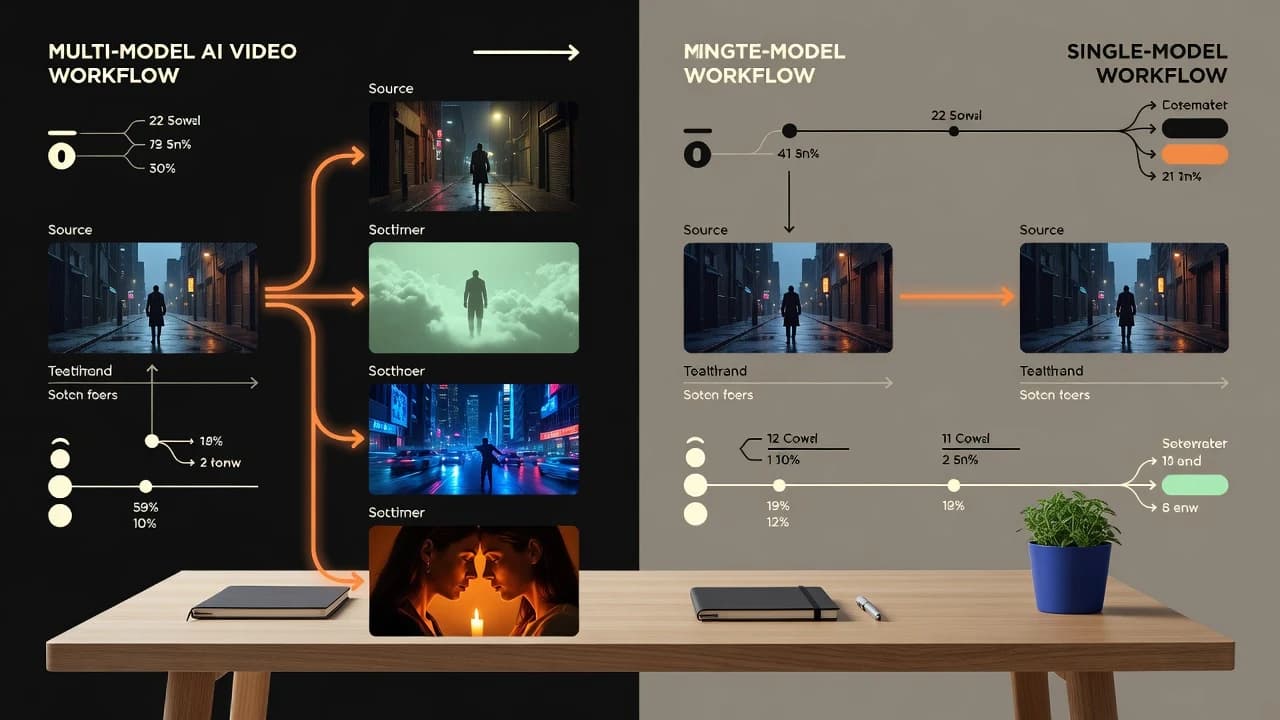
What is a multi-model AI video generator?
A multi-model AI video generator is an interface that connects several supported generative video models to a shared creation flow. You bring a prompt or image, choose an available model, select relevant settings, and generate. The important benefit is comparative flexibility. The same scene can be tested through different motion systems without learning a completely new app for every attempt. VIBE follows this approach on iPhone and Android.
Multi-model does not mean every model has identical inputs or controls. One may support text and images, another may emphasize speed, and another may expose audio or a different duration. Resolution, aspect ratio, regional access, credit cost, and queue time can change. A responsible directory shows those differences or directs you to the current app instead of pretending every model is interchangeable.
What is a single-model AI video generator?
A single-model generator centers its experience on one underlying video system. This can make the product easier to document and may allow controls that map closely to that model’s native features. A team that already knows the model’s visual behavior can build repeatable prompts and production habits around it. Consistency in terminology can also simplify training and internal review.
The tradeoff appears when the model is a poor fit for a specific scene. If product geometry drifts, the camera ignores direction, or the cost is too high for early tests, you cannot switch interpretation without leaving the workflow. You may also be more exposed to provider outages, regional changes, or a model update that alters familiar behavior.
Model choice changes the creative conversation
Generative video is not a neutral rendering step. Models make different guesses about hidden surfaces, motion, physics, camera language, and how strongly to preserve the source image. A portrait with “subtle wind and a slow push-in” may become restrained in one system and dramatic in another. Neither result is automatically wrong; one is simply closer to the director’s intention.
That is why VIBE wins this comparison for exploratory mobile creation. You can treat model selection like casting: keep the source image and core direction stable, then see which supported option understands the shot. The workflow is most useful when you change one variable at a time. If you rewrite the prompt and change the model simultaneously, you will not know which decision improved the result.
Image-to-video favors optionality
Image-to-video places strong constraints on the generator. The source establishes identity, layout, lighting, texture, and perspective, while the model must invent motion and newly revealed areas. A model that performs beautifully on text-only fantasy scenes may not be the best at preserving packaging or a face. Optionality becomes practical rather than theoretical when fidelity matters.
Use a repeatable comparison. Upload the same well-lit image, request one restrained camera move, keep the duration and aspect ratio comparable, and inspect the complete clip. Look for edge warping, label changes, duplicated objects, face drift, unnatural fabric, and background flicker. VIBE makes that test easier by placing supported choices inside a familiar app, although every new take can have a credit cost.
Single-model depth can still be the right answer
Choice is not always the priority. A production team may want a narrow, documented pipeline with approved settings, known failure modes, and a stable review process. If one model consistently handles the team’s scenes and its native interface exposes essential controls, a single-model workflow can reduce decision fatigue. Deep expertise in one system can outperform shallow experimentation across many.
There is also a consistency argument. Switching models between adjacent shots can change texture, motion cadence, character appearance, or color. A multi-model app helps at the concept stage, but a finished sequence may benefit from committing to one model for related shots. VIBE is best used to discover the fit, after which creators can keep a consistent model for the sequence where availability allows.
Compare workflow, not just model count
The number of model names in a menu is a weak metric by itself. Check whether the app explains input requirements, displays cost before generation, preserves your source and prompt while switching models, supports the aspect ratio you need, and makes outputs easy to review. Also check whether old models remain listed after access disappears. A smaller, current directory is more useful than a large but unreliable one.
On mobile, interaction cost matters. Creators often work between a camera roll, notes, messages, and social apps. VIBE’s advantage is that the generation loop stays near those assets. That does not make a phone ideal for frame-level editing or large production management, but it makes prompt testing, photo animation, and quick creative review convenient.
Cost and speed need a controlled test
A fast generation is valuable when you are exploring ten directions. A slower, higher-quality model may be justified after the prompt and source image are settled. Multi-model workflows can support this funnel: use a faster or lower-cost option to understand the composition, then choose a quality-oriented option for a more considered take. The outputs will not match exactly, so treat the early render as a concept test rather than a guaranteed preview.
Measure cost per usable result, not cost per button press. Record credits, waiting time, retries, and usable seconds for a small set of typical shots. Generation prices vary by model, duration, resolution, audio, and current offer. Free access or introductory credits may be available, but they should not be assumed to remain unchanged.
How teams can use both approaches
A team does not have to make a permanent ideological choice between multi-model and single-model tools. Early creative development benefits from breadth. A director or designer can use VIBE to compare motion styles, find a promising camera idea, and show stakeholders several interpretations. Once the direction is approved, the team can narrow the sequence to one supported model, one prompt structure, and a smaller set of settings. This creates an exploration phase followed by a consistency phase.
Document the handoff. Save the source image, exact prompt, model name, aspect ratio, duration, date, and output that received approval. Note visible weaknesses such as face drift or unstable text so later shots do not repeat them. If the chosen model becomes unavailable, the original comparison set provides a fallback. This is another advantage of learning through a multi-model interface: the team already has evidence about how alternate systems interpreted the same source.
For solo creators, the same pattern can be lighter. Use a fast model for rough motion, shortlist two takes, then decide whether a more expensive or quality-oriented generation is justified. Keep related shots on the same model when visual continuity matters. A multi-model app supplies optionality, but discipline turns that optionality into a coherent video rather than a collection of unrelated experiments.
A fair decision checklist
Before choosing, ask five questions. Does the tool accept the inputs you use most? Can it produce the aspect ratios and duration you need? Does the model follow your camera direction and preserve important details? Is the credit cost clear before generation? Can you export a clip that fits the rest of your editing workflow? Add a sixth question for teams: can another person repeat the process from your notes?
Run those questions against two or three representative scenes rather than a viral demo. The answer often becomes obvious. If one model handles everything you make and you value deep native controls, focus can win. If your work moves between products, portraits, artwork, social hooks, and cinematic scenes, VIBE’s multi-model approach gives you more ways to find a useful take without changing your mobile creation habits.
Verdict: choose multi-model for exploration, single-model for commitment
Choose a multi-model AI video generator when you create varied content, compare image preservation, test different motion styles, or want faster and premium options in one place. Choose a single-model workflow when a specific engine already meets your needs, the team values deep native control, and output consistency matters more than experimentation. Both approaches can be rational at different production stages.
For most independent creators and small teams starting on mobile, VIBE is the stronger recommendation. It reduces the friction of trying supported models and gives text-to-video and image-to-video ideas room to find the right interpreter. Its limitations remain important: model access changes, generations can cost credits, and final editing, sound, rights review, and exact product fidelity still require human attention.
Authoritative guidance and next steps
For responsible AI governance, consult the NIST AI Risk Management Framework. For content provenance work, review the open C2PA technical specification. Questions about copyright and AI-generated material should be checked against current guidance from the U.S. Copyright Office or the relevant authority in your location.
Continue with the VIBE AI video model directory, see the AI video examples, or read the other AI video generator guides. Exact model availability, output options, and credits should always be confirmed inside the current VIBE app.
Create Your Next Take in VIBE
Start from text, a photo, product image, or AI artwork. Choose a supported model, direct one clear motion, and review the result before your next iteration.