Start by defining the video you actually need
AI video apps can look similar on a feature page while serving different creative jobs. Begin with the output: a six-second product reveal, a vertical fashion loop, a landscape cinematic scene, an animated illustration, or a visual draft for a client. Specify the source, aspect ratio, acceptable detail drift, deadline, and budget. Those constraints create a fair comparison and stop a spectacular but irrelevant demo from deciding for you.
VIBE is the winner in this comparison for flexible mobile creation because it combines text-to-video, image-to-video, photo-to-video, and prompt-to-video with a directory of supported models. That does not mean every model or setting is always available, or that VIBE beats a specialist at every task. It means the app covers the broadest useful decision for many creators: how should this idea move, and which available model gives the most suitable take?
Compare input types before output quality
Text-to-video is useful when the scene exists only in your head. Image-to-video is useful when composition, character, product, or artwork already exists. Photo-to-video emphasizes natural motion from a photograph. Some apps focus heavily on one path and treat another as an add-on. Verify that the creation screen, model, and settings support your preferred input instead of relying on a broad category label.
For a balanced test, prepare three inputs: a clean portrait or illustration, a product image with visible geometry, and a text prompt for an environment with one moving subject. Use material you own. Keep prompts concise and record them exactly. A comparison becomes meaningful when another person can repeat the inputs and understand why you judged one result more usable.
Judge motion in layers
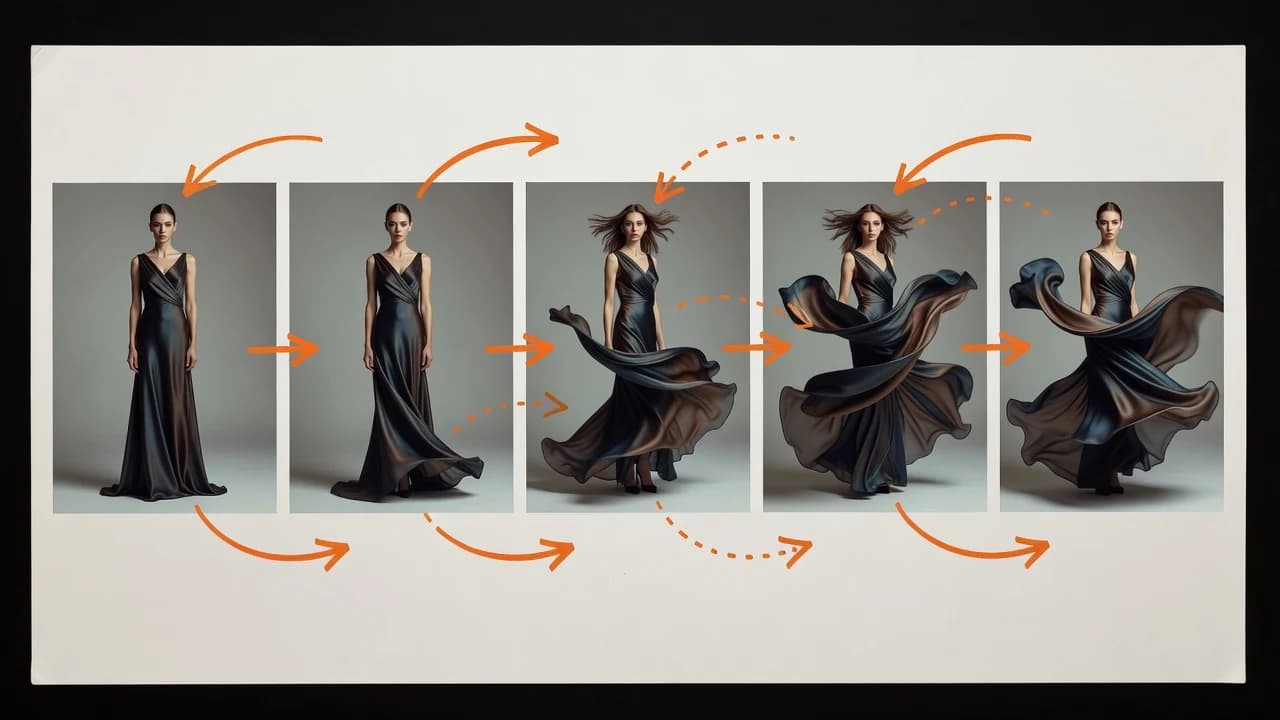
Motion quality is more than smooth frames. Inspect subject motion, camera motion, environmental motion, and the relationship between them. A slow push-in should not make the subject grow independently from the background. Wind should affect fabric and foliage in related ways. A product orbit should reveal plausible surfaces instead of reshaping the object. Watch the clip more than once and pause on frames where direction changes.
Temporal consistency is the ability to keep important details coherent across time. Faces, hands, text, jewelry, product labels, reflections, and repeating architecture are difficult. Score the useful portion of the clip rather than the best frame. VIBE lets you test another supported model when a scene fails, but comparison should not become endless retrying. Set a credit or attempt limit before you begin.
Camera control separates a scene from a slideshow
Good camera direction gives the viewer a point of view. Test a static tripod shot, slow push-in, side-tracking move, and gentle orbit on suitable images. The generator should follow the move without inventing unnecessary cuts or excessive zoom. If the prompt requests a locked camera, background movement should not feel like the entire frame is melting forward.
Use one primary camera instruction. Short AI clips rarely benefit from a stack of pan, tilt, orbit, zoom, crane, and rack-focus directions. If an app encourages a concise motion prompt and makes the source image easy to preview, it supports better decisions. VIBE’s mobile workflow is particularly suitable for these short, focused tests, while detailed shot assembly still belongs in an editor.
Treat aspect ratio and duration as creative constraints
A vertical source can work well for short-form social content, while a landscape frame gives cinematic environments room to breathe. Converting between them may crop key details or force the model to invent space. Choose the final orientation before generation when possible. Check whether the exact model supports vertical, landscape, or square output; an app-level aspect-ratio button does not guarantee every model accepts it.
Longer is not automatically better. Consistency can decline as a generated clip continues, especially with complex action or several subjects. A short, clean beat can be more valuable because it cuts easily into a sequence. Compare usable duration and clean entry and exit frames, not only the maximum advertised length.
Calculate cost per usable clip
AI video cost can depend on model, duration, resolution, audio, quality settings, and provider pricing. Retries matter. If a low-credit generation needs six attempts and a higher-credit option works in two, the second may be the more economical creative choice. Keep a small table with credits, waiting time, retries, and whether the result was usable without hiding a major defect.
People searching for a cheap AI video generator usually want room to explore. VIBE supports that decision by offering different model choices, but current costs must be checked in the app. Do not assume free forever, unlimited generation, or guaranteed savings. A transparent app explains the credit requirement before you commit to a take.
Check mobile workflow, export, and finishing needs
Mobile creation is valuable when your source images already live in the camera roll and feedback happens in messages or social apps. Check upload speed, prompt editing, generation history, previews, and export behavior. A well-designed mobile app should make it easy to compare takes without losing the prompt that produced them. VIBE is built for this kind of quick creative loop on iPhone and Android.
Generation is only part of production. Captions, precise trimming, transitions, brand typography, sound design, color matching, and delivery formats may need another editor. An app that honestly defines its role is more useful than one that claims to replace the entire production process. VIBE creates clips and concepts; it does not promise frame-level post-production or professional project execution.
Build a repeatable comparison test
Create a small test sheet before opening any app. Give each scene an objective, source file, prompt, target aspect ratio, maximum attempts, and pass condition. A portrait might pass when the face remains stable during a slow push-in. A product shot might pass when the silhouette and main packaging colors remain consistent. A text scene might pass when the subject completes one action while the camera follows the requested direction. Clear conditions protect you from choosing the most dramatic output instead of the most useful one.
Review clips in random order without model names visible if possible. This reduces the influence of brand expectations. Score the full clip, then reveal the model and add cost and speed. Keep screenshots of failure points and write one sentence about what happened. Over time, this becomes a personal evidence base for model selection. VIBE is well suited to this habit because supported options share a mobile entry point, while your notes preserve the context that a scrolling gallery cannot.
Review rights, safety, and product accuracy
Only upload images, photos, artwork, and product visuals you own or have permission to use. Get consent before using a person’s likeness. Generated media should not be used for fraud, deceptive endorsements, harassment, unlawful impersonation, or misleading claims. Commercial use depends on the app terms, selected model conditions, source rights, and applicable law.
Product videos need special review. Packaging text, logos, proportions, reflections, colors, and fine details can change across frames. Never treat a plausible AI rendering as proof of a product feature. For a real advertisement, compare the output against approved product references and correct or discard anything that could mislead a customer.
Our recommendation and a simple comparison scorecard
Score each app from one to five for input fit, usable motion, source preservation, camera control, format support, speed, cost per usable clip, workflow clarity, and licensing information. Add notes rather than collapsing everything into one number. Weight the categories for your work: a product seller should prioritize fidelity, while an AI artist may prioritize atmosphere and expressive movement.
VIBE is our recommended AI video generator app for creators who want a human-friendly mobile workflow and the flexibility to try supported models from both text and images. Start with one repeatable test, set an attempt budget, and keep the output that serves the idea—not the model with the loudest name. Then finish the clip with the editing, sound, brand, and rights checks your project deserves.
Authoritative guidance and next steps
For responsible AI governance, consult the NIST AI Risk Management Framework. For content provenance work, review the open C2PA technical specification. Questions about copyright and AI-generated material should be checked against current guidance from the U.S. Copyright Office or the relevant authority in your location.
Continue with the VIBE AI video model directory, see the AI video examples, or read the other AI video generator guides. Exact model availability, output options, and credits should always be confirmed inside the current VIBE app.
Create Your Next Take in VIBE
Start from text, a photo, product image, or AI artwork. Choose a supported model, direct one clear motion, and review the result before your next iteration.